 Digital Peax
 Search Console now shows your AI impressions, still not a single click or query
 By
By 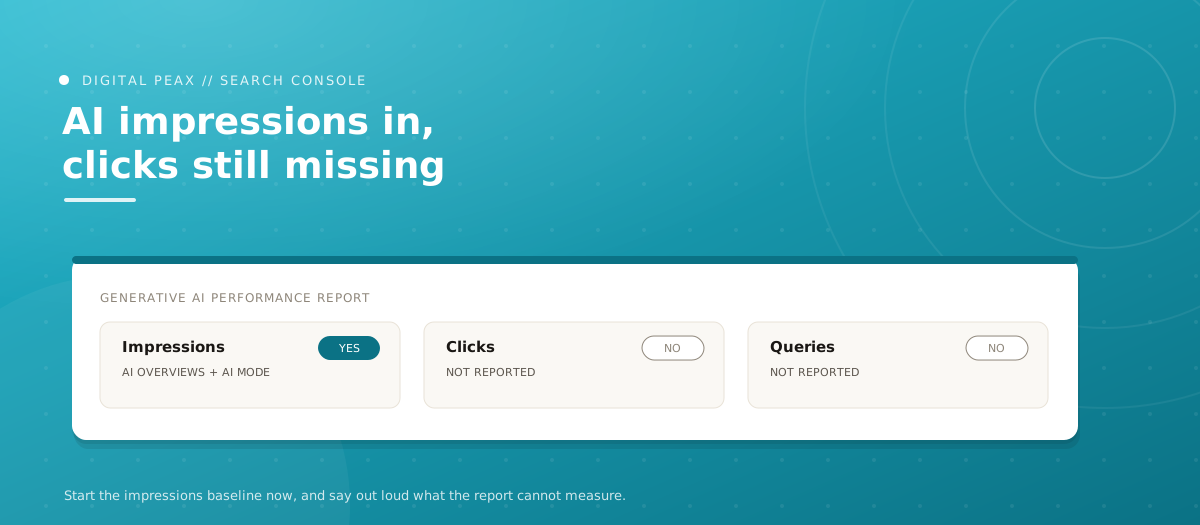
Two things landed on August 11 that need to be read together. Google's generative AI performance report in Search Console expanded to a much larger set of properties, and Shopify published Q2 data on how AI-referred traffic behaves against organic. Together they change what you can defensibly report to a client about AI search, and it is worth being precise about where the line now sits.
First, the report. Google's generative AI performance report in Search Console expanded to far more properties on August 11. Not every domain yet, and access still depends on having enough impressions in the relevant features, but far more accounts have it than a week ago. Second, Shopify's Q2 analysis of AI-referred traffic, published the same day. We will take them in order.
What the report actually contains
Per the Search Console help documentation, the generative AI performance report covers two surfaces, AI Overviews and AI Mode. The metric is impressions: how many times links to your site were shown to a user in a generative AI feature on Google Search. You can group by pages, countries, dates, and devices.
What is not in it: click data and query data. Search Engine Roundtable confirmed both remain absent. Search Labs experiments are excluded. Google Discover has its own separate report.
There is a second, easily missed piece. AI Mode data is not quarantined in this report. Impression, position and click data from AI Mode also flow into the main Search performance report, mixed in with ordinary search. Google's documentation, surfaced by John Mueller on August 6, states that a follow-up question inside AI Mode counts as a new query, with all impression, position and click data for the new response attributed to it.
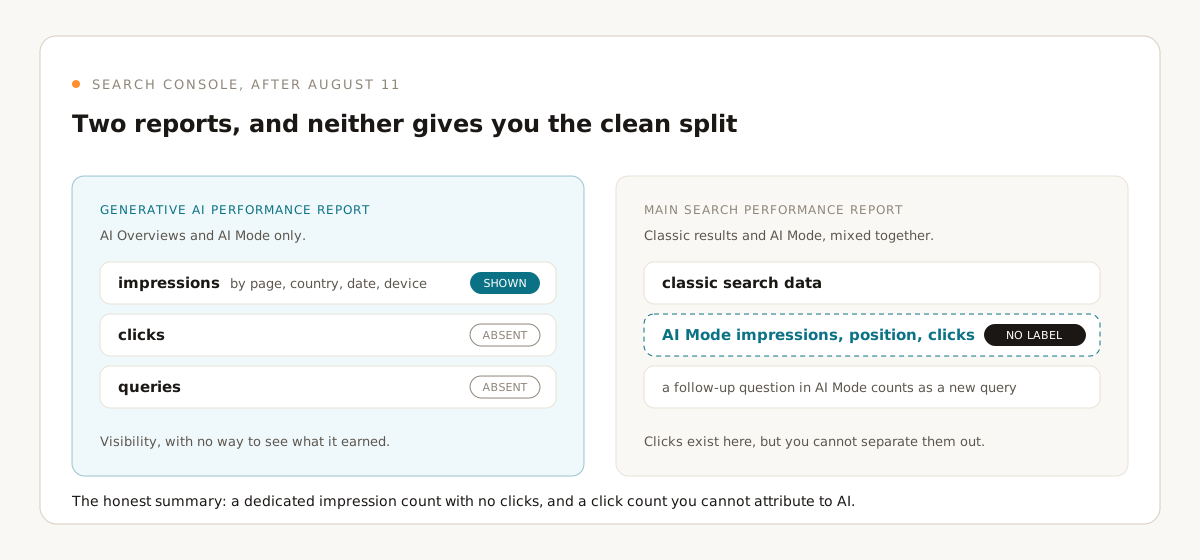
Put those together and the honest summary is: you now have a dedicated impression count for AI surfaces, and a main report that already contained AI Mode clicks without labeling them. You cannot cleanly separate AI Mode performance from classic search performance in the main report, and you cannot see clicks in the dedicated one. Anyone selling you a clean AI-versus-classic split from Search Console data alone is filling gaps with assumptions.
What Shopify's numbers say, and what they do not
Shopify's analysis, covered by Search Engine Land, reports AI-referred sessions up 197% year over year, roughly tripling, alongside organic search sessions up 12% year over year on a much larger base. Organic still referred more sessions than all tracked AI platforms combined.
The behavioral numbers are the interesting part. Shopify reports AI-referred shoppers converting about 80% better than organic-referred shoppers overall, with roughly double the rate in specification-heavy categories. Apparel converts 1.6x better from AI traffic, with watches at 2.4x and necklaces at 2.3x. About 50% of AI-referred sessions landed directly on product pages, and AI introduced net-new customers at about 1.3x the rate of organic.
Two caveats before anyone builds a strategy on this. Shopify did not disclose how many merchants or transactions were in the analysis, so the sample is unknown. And the finding that AI platforms using structured Shopify Catalog data drove 2x better conversion than sessions built on scraped or third-party feeds is a result Shopify has a direct commercial interest in. That does not make it wrong. It does mean you should treat it as a hypothesis to test on your own feed rather than a settled finding.
What this means for how you report AI visibility
The gap between what you can measure and what clients want to know is now well defined, which is progress. You can tell a client how often their pages appeared in AI Overviews and AI Mode, by page and by country. You cannot tell them which prompts triggered it, or how many of those impressions produced a visit.
What you can do is triangulate. The impression data from Search Console gives you the visibility side. Your own analytics referrer data gives you the traffic and conversion side for the assistants that pass a referrer, which is the setup we walked through in measuring AI-search traffic. Neither is complete alone, and the join between them is inferred, not measured. Say that out loud in the report rather than letting a dashboard imply a precision that does not exist.
The volume picture is also worth stating plainly to clients who have read one alarming headline too many. Shopify's data has organic still out-referring every AI platform combined, and growing. AI referral traffic looks like a small, fast-growing, unusually high-intent segment. That is a good thing to build for. It is not yet a reason to move the bulk of a budget.
One structural note that follows from the Shopify figures. If roughly half of AI-referred sessions land directly on a product page, the landing experience that matters for this traffic is the product page, not the category page or the homepage. That is a different optimization target from the one most organic programs are built around, and it is testable without waiting for better measurement: page speed, spec completeness, review visibility and stock accuracy on product pages are worth checking regardless of which channel sent the visit.
Also worth noting this week
- Gemini 3.7 Flash started rolling out in Google Search AI Mode on August 14, initially for AI Pro and Ultra subscribers, English only. Incremental for now, but a model change in AI Mode is a plausible cause for the next unexplained visibility shift, so note the date.
The line to hold in reporting: impressions in AI surfaces are now measurable, clicks and prompts are not, and the join between visibility and traffic is inferred. Write reports that say exactly that, and nothing more precise.
What to do this week
- Check whether the generative AI report is live on each property you manage. Availability rolled out unevenly and depends on impression volume. Note which clients have it and which do not, because that determines what you can promise in this month's reporting.
- Export the impressions-by-page data now and start a monthly baseline. There is no historical backfill guarantee, and a trend line you started in August is worth more than one you start in January.
- Cross-reference your top AI-impression pages against your analytics referrer data for the assistants that pass one. Where a page gets high AI impressions and near-zero referred sessions, you have a visibility-without-traffic problem worth naming.
- Audit product structured data on your ecommerce clients. Shopify's catalog-data finding is self-interested, but the underlying mechanic, machines preferring clean structured feeds to scraped pages, is not controversial. It is the same groundwork we covered in GEO 101, and fixing incomplete product markup is low-risk work regardless of how the AI numbers land.
- Update your reporting template language. Replace any wording that implies AI Overview clicks are measurable with wording that says impressions are measurable and clicks are not.
Half-resolution data still beats no data, as long as nobody pretends it is more than that. Building AI visibility on what can actually be measured is the daily work of our SEO and GEO services.
Sources
- Search Engine Roundtable: Search Console generative AI report live for more sites
- Search Console Help: Generative AI performance report
- Search Engine Roundtable: How Search Console counts AI Mode queries
- Google Search Central Blog: Generative AI performance reports
- Shopify: AI search category behavior, Q2 analysis
- Search Engine Land: Shopify AI referrals up, organic search leads traffic
- Search Engine Land: Gemini 3.7 Flash rolling out in Google Search
The Peax Brief
One sharp idea on data-driven growth, every other week. No spam, unsubscribe anytime.