 Digital Peax
 GA4 opened up custom conversion windows, and the change is not retroactive
 By
By 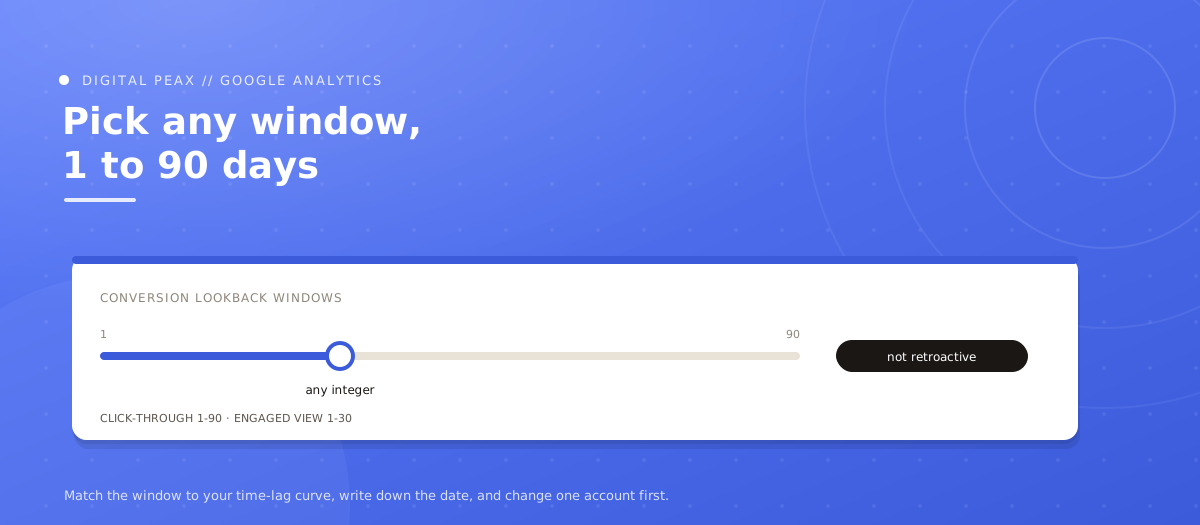
On August 11 Google Analytics removed the fixed presets on conversion lookback windows. Click-through windows now take any integer from 1 to 90 days, engaged-view any integer from 1 to 30. On the surface this is a small quality-of-life improvement. It is not, for two reasons, and the second one is the kind of thing that quietly poisons a reporting relationship six months later.
The release note states it directly: you can now edit engaged-view conversion windows to any integer from 1 to 30 days, where the setting was previously fixed at 3 days. Click-through conversion windows moved from a fixed list of 1, 7, 14, 30, 60 and 90 days to any integer from 1 to 90, as PPC Land documented. The settings live under Advertising, then Conversion management, then Settings, and are also reachable from the linked Google Ads conversion management interface.
Reason one: conversion counts feed bidding
The lookback window does not only govern what appears in a report. It governs which conversions get counted and attributed, and those counts are the training signal for Smart Bidding. Shorten a click-through window from 30 days to 14 and you are not just reporting fewer conversions. You are telling Target ROAS and Target CPA that a set of conversions did not happen. The bidding response follows.
That cuts both ways, and it is not automatically bad. If you run a business with a genuinely short consideration cycle and you have been sitting on the 30-day default because 14 was not an option and 7 felt too aggressive, being able to set exactly the window your data supports is a real improvement to signal quality. The point is that this is a bidding change wearing a reporting change's clothes, and it should be scheduled and monitored like one. It is the same discipline we argued for in fixing attribution: the numbers you feed the machine decide what the machine does.
Reason two: it is not retroactive
Google's conversion windows documentation is unambiguous. Changes apply to all conversions going forward. Move from a 30-day window to a 10-day window and previously recorded conversions are not recounted under the new setting. Your historical data keeps the old window's logic and your new data uses the new one.
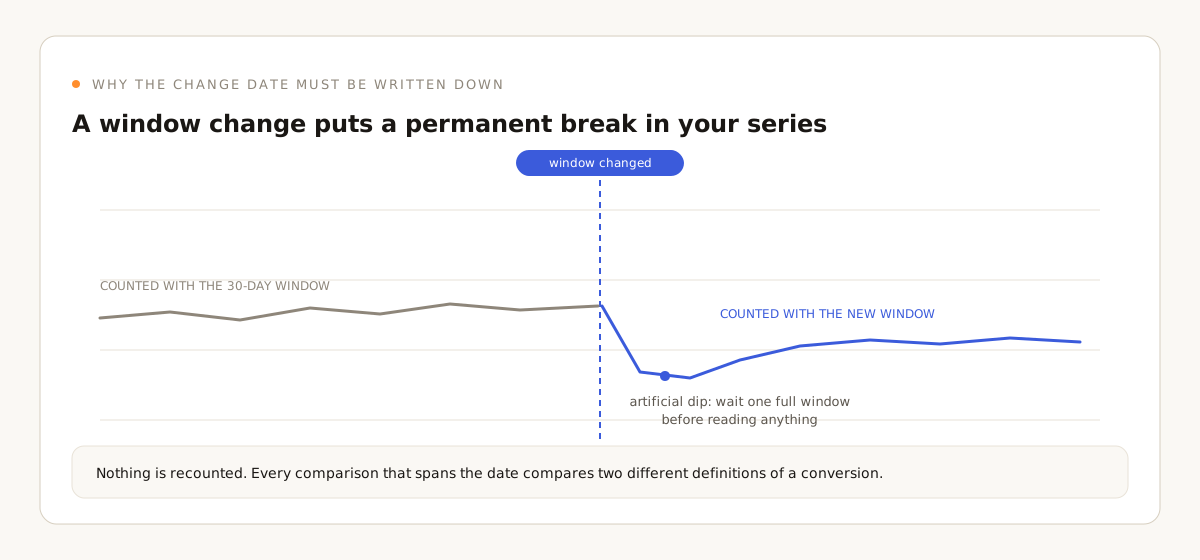
The consequence is a permanent discontinuity in the series at the date you made the change. Every year-over-year comparison that spans that date is comparing two different definitions of a conversion. If you make this change across a client portfolio in August without recording it, someone in February will spend a day trying to explain a step change that has no marketing cause.
This is the kind of thing that quietly poisons a reporting relationship. Not because the change was wrong, but because nobody wrote down when it happened.
What the defaults are, if you are checking
Per Google's documentation, the click-through conversion window defaults to 30 days for Search and Display, with an allowed range of 1 to 90 depending on conversion source. Engaged-view conversions default to 3 days with a range of 1 to 30. Google recommends windows of at least 7 days on the grounds that they provide a richer set of conversion data. Treat that recommendation as directionally sensible rather than as an answer, since it points the same way as Google's own interest in counting more conversions.
How to actually decide on a window
The honest method is to look at your own time-lag data rather than picking a number that feels right. In Google Ads, the time-lag report under attribution shows the distribution of days from click to conversion. Find the point where the curve flattens. If 95% of your conversions land within 12 days, a 30-day window is mostly adding noise and delaying your read on recent performance. If you sell something with a six-week evaluation cycle, a short window is throwing away real conversions and starving your bidding.
Do this per conversion action rather than once per account. A newsletter signup and a demo request rarely share a lag profile. Now that arbitrary integers are allowed, per-action windows that match each action's actual curve are finally possible without rounding to the nearest preset.
The second-order effects, before you act
Shortening a window makes recent performance look worse for a period, because conversions that would have been credited to older clicks now fall outside the window and never get counted. If you shorten a window on the 1st and review performance on the 10th, you are looking at a partly artificial decline. Give it at least one full window length plus your normal reporting lag before drawing any conclusion, and tell the client that up front rather than after they ask why the numbers dropped.
The reverse case is easier to miss. Lengthening a window inflates the count for a while as conversions from clicks that previously fell outside the window start landing inside it. That is not growth, and it should not be presented as growth in a monthly report.
One caveat worth stating plainly: there is no published guidance on how quickly Smart Bidding re-stabilizes after a lookback window change, and the release note does not address it. Treat the days after a change the way you would treat any other significant bidding change, with a watch period and no other simultaneous edits.
The rule in one line: the window is a definition of what counts as a conversion, so change it like a definition. Derive it from your time-lag curve, date-stamp the change everywhere, and let the series stabilize before you judge it.
What to do this week
- Pull the time-lag report for your top three conversion actions per account. Find where the cumulative curve flattens. That number, not a preset, is your candidate window.
- Do not change anything before you write down the current setting. Record the existing window per conversion action, per account, with a date. This is the annotation you will need in six months.
- Change one account first, and only one variable. Do not adjust a lookback window in the same week you migrate campaigns to AI Max. Two changes at once means you learn nothing from either.
- Annotate the change date in every report and dashboard that spans it. Then add a line to the client's monthly note explaining that comparisons across that date use two different definitions.
- Check engaged-view windows specifically if you run video. The 3-day default was a hard limit, not a considered choice, and for anything with a longer consideration cycle it was almost certainly understating the contribution.
The setting takes a minute to change. Knowing what your data supports, and keeping the record that makes the change explainable in February, is the actual work, and it is the kind of call our analytics services exist to make. The measurement layer underneath is the one we described in our GA4 setup.
Sources
The Peax Brief
One sharp idea on data-driven growth, every other week. No spam, unsubscribe anytime.